Swipe News App
Android App Setup Using Android Studio
Android App Setup Using Android Studio
Step 1: Install Android Studio
-
Download Android Studio:
- Visit the Android Studio download page.
- Download and install Android Studio on your machine.
-
Install Required SDKs:
- Open Android Studio and navigate to
File > Settings > Appearance & Behavior > System Settings > Android SDK. - Ensure you have the required SDK platforms and tools installed.
- Open Android Studio and navigate to
Step 2: Set Up the Project
-
Open the Project:
- Open Android Studio.
- Click on
Open an existing Android Studio projectand navigate to the directory where your project is located.
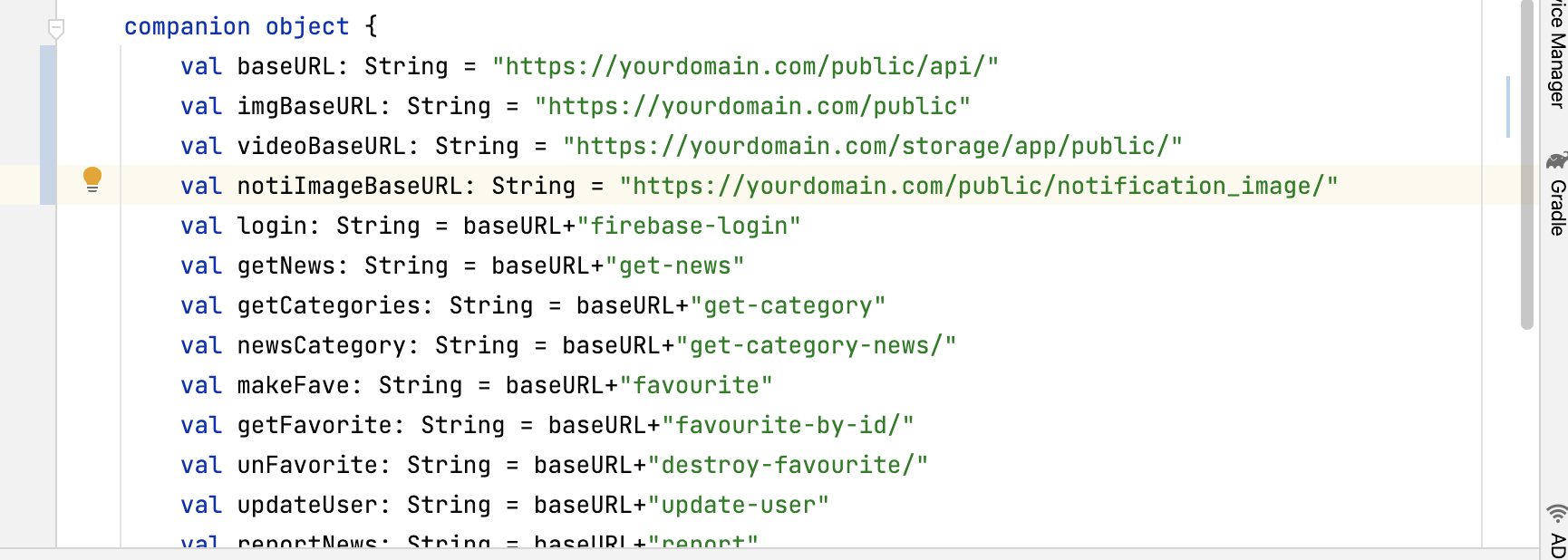
- Change Base URLs
Under Networking > ServerEP
Change the base URLs with your domain