
Swipe News App
News Automation API Setup
News Automation API Setup
You can upload news yourelf from admin panel and automate the news fetching and updating process in your SwipeNews App, you need to configure the Newsdata.io API. Follow these steps to set up the Newsdata.io integration:
Step 1: Get Your API Key
-
Sign Up / Log In to Newsdata.io:
- Visit Newsdata.io.
- Sign up for a new account or log in to your existing account.
-
Obtain API Key:
- Navigate to the API section of your account dashboard.
- Copy your unique API key.
Step 2: Configure the API in the Admin Panel
-
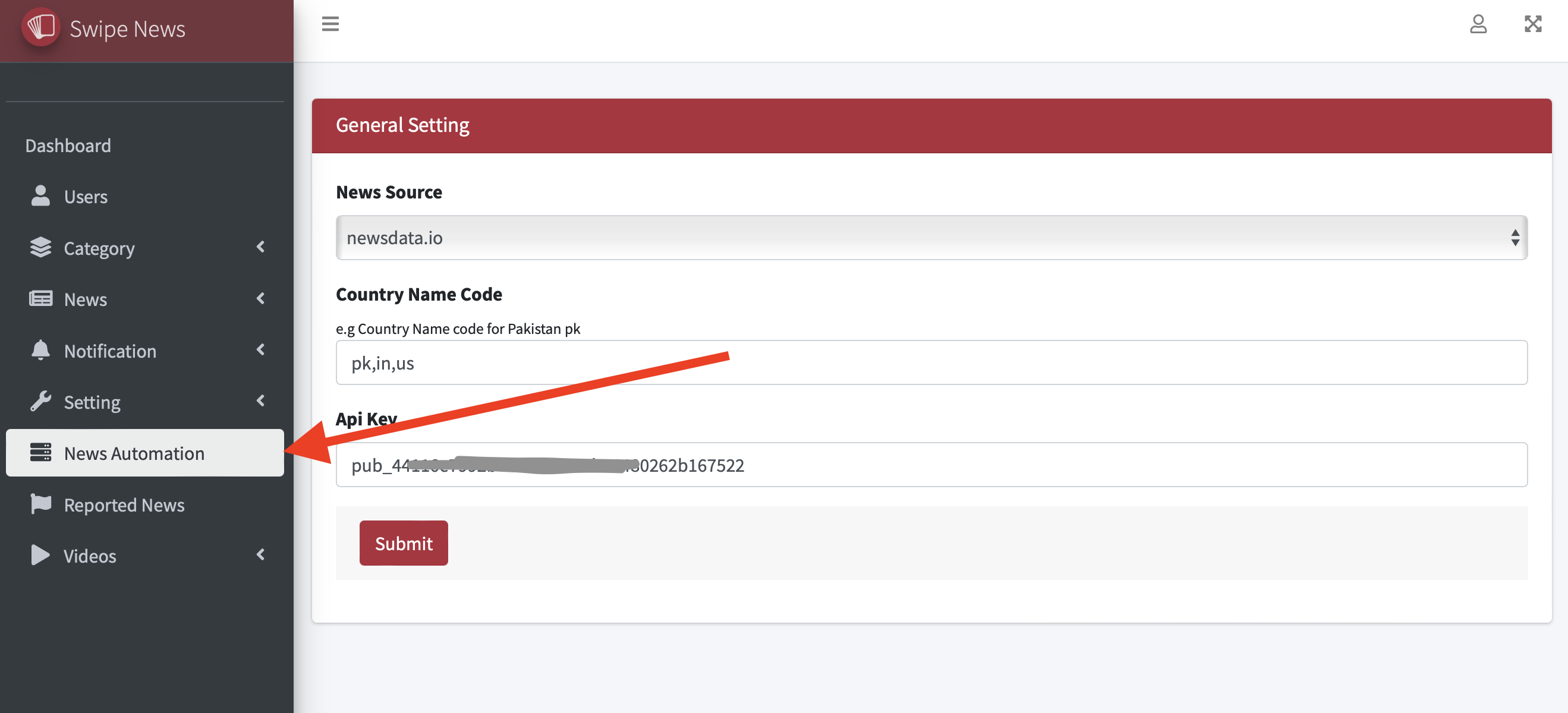
In the admin panel go to the news automation
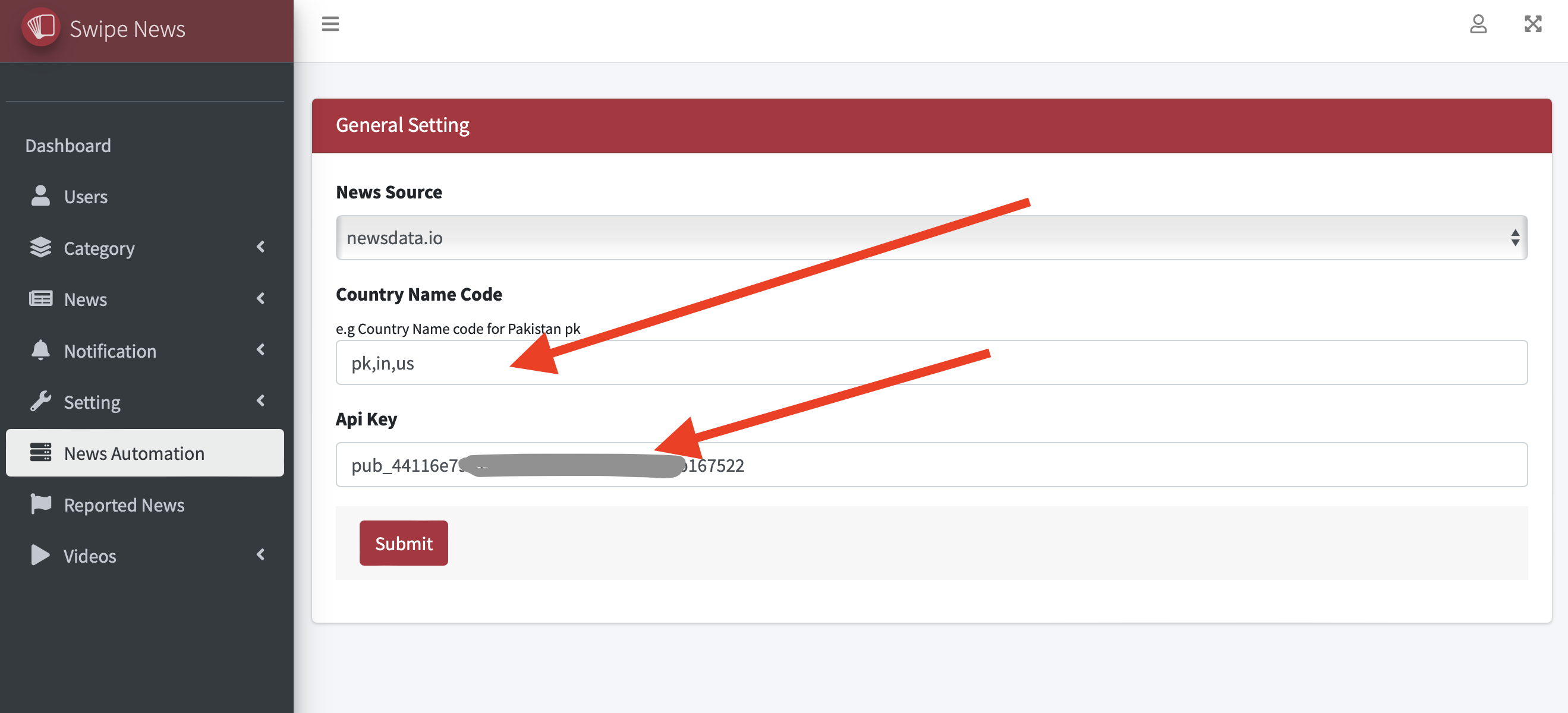
2. Add the countries name codes where you want to launch SwipeNews app and add API key
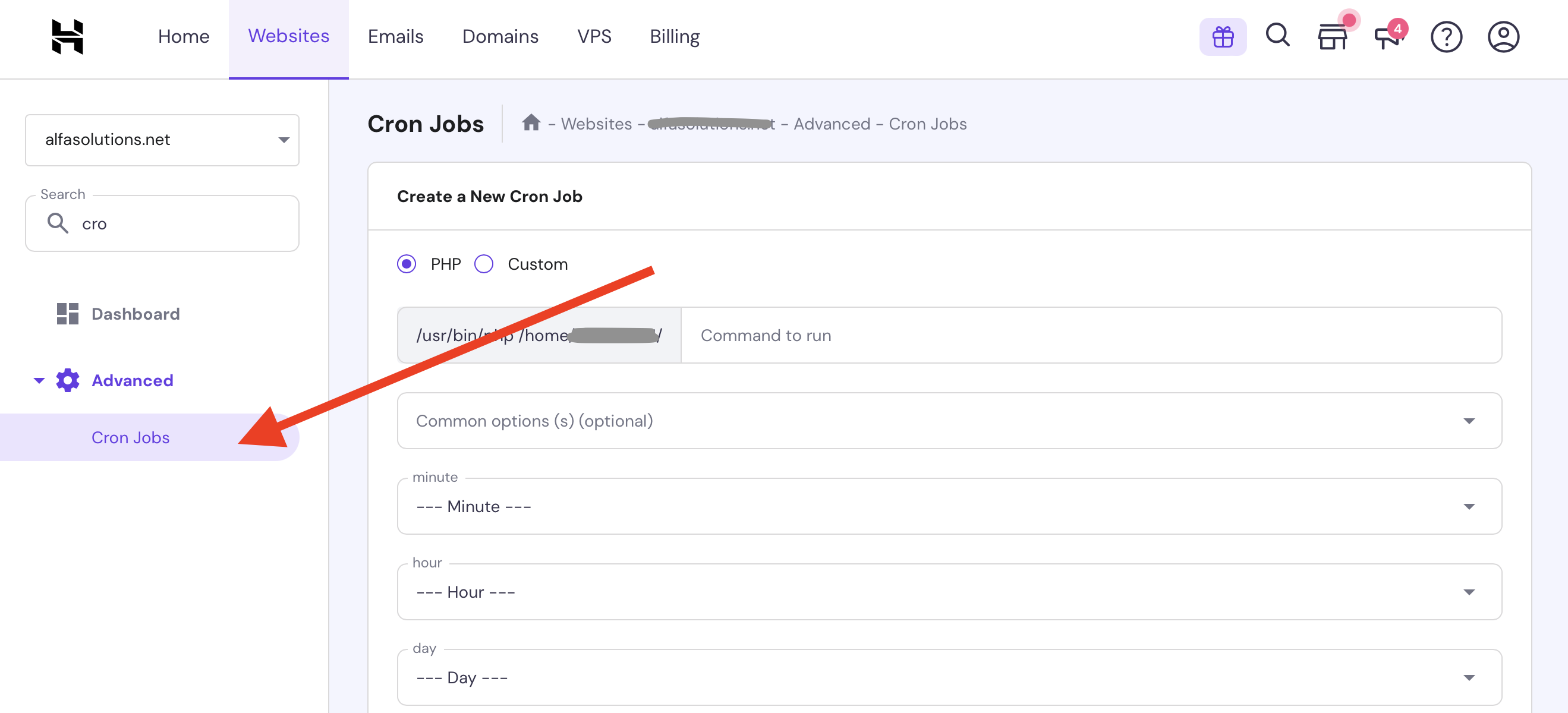
Setup Cron Job
Create a cron job to fetch the latest news from the newsdata.io
curl --request GET 'https://yourdomain.com/public/api/fetch-news'
Set cron job time according to your requirements after minimum 30 mins is recommended
Make sure you add categories in the admin panel, we fetch news for the categories only